

This code snippet is very simple—perfect for beginners or those who prefer not to spend too much time on styling. You can simply copy and paste it to use; it’s very convenient. It is also compatible with the dark mode of the Zibll theme.
Demo example
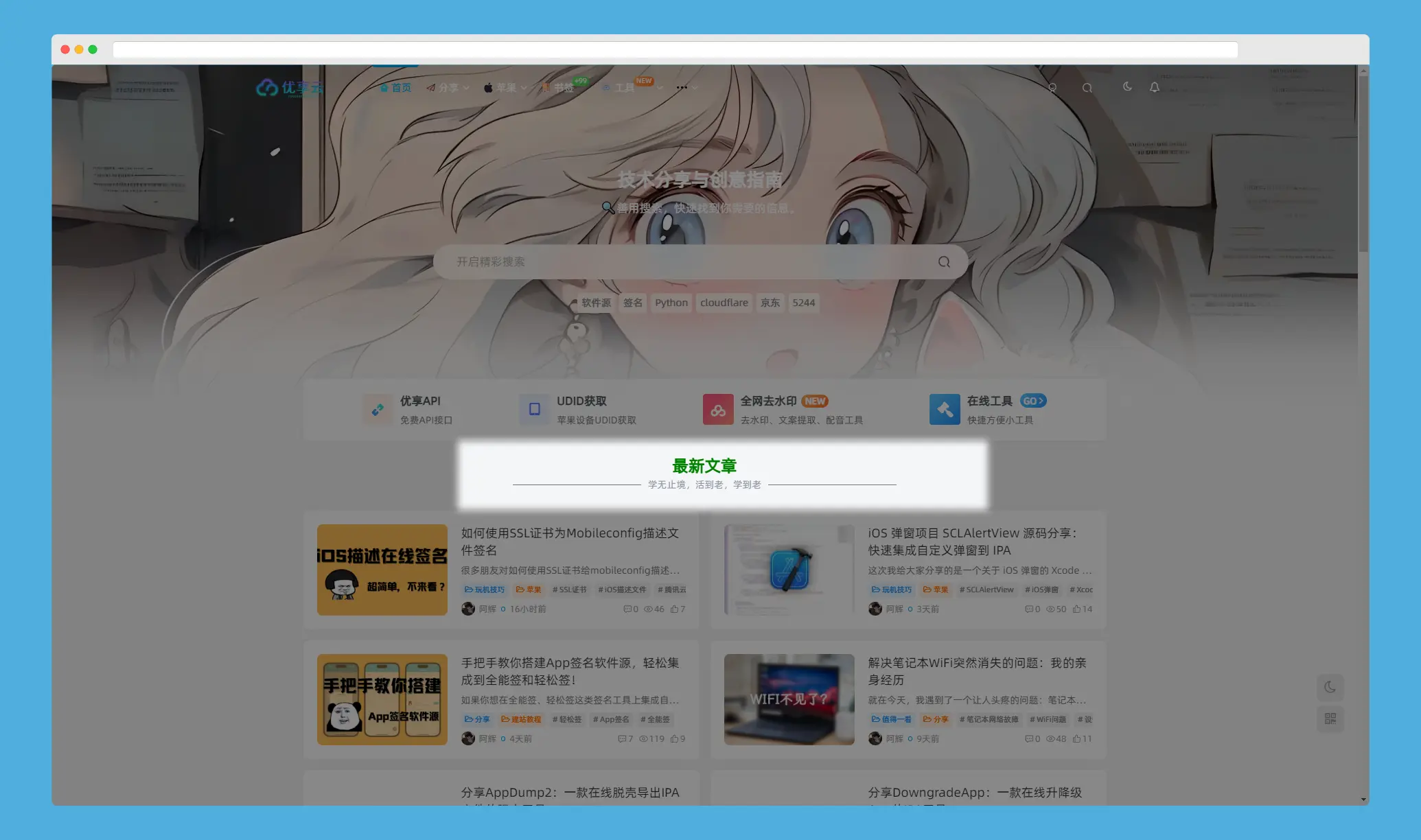
How to use in WordPress themes or the Zibll theme
- Log in to the WordPress admin dashboard
- Go to Appearance settings: In the left-hand menu of the admin dashboard, find “Appearance” option, click it, and then select “Widgets”。
- Adding a Custom HTML widget: On the "Widgets" page, you will see various widgets that can be dragged and dropped. Locate the “Custom HTML...this widget, then drag it to the area where you want it to appear (such as the sidebar or footer).
- Inserting code: In the "Custom HTML" widget, copy and paste the HTML and CSS code we’ve provided:
Code Example:
<div class="emoji-container">
    <div class="emoji-title">最新文章</div>
    <div class="emoji-separator emoji-sub emoji-sm">学无止境,活到老,学到老</div>
</div>

<style>
    .emoji-container{display:flex;flex-direction:column;align-items:center;text-align:center}
    .emoji-separator:before,.emoji-separator:after{content:"";background:#777;flex:1;height:1px;margin:0 10px;max-width:16%}
    .emoji-separator{display:flex;align-items:center;justify-content:center;width:100%}
    .emoji-sub{color:#8c92a1!important}
    .emoji-sm{font-size:14px}
    .emoji-title{font-size:24px;font-weight:bold;color:green}
    body.dark-theme .emoji-title{color:lightgreen}
    body.dark-theme .emoji-sub{color:#b0b3b8!important}
    body.dark-theme .emoji-separator:before,body.dark-theme .emoji-separator:after{background:#555}
</style>

Other Articles

Next
Previous
December 1, 2024
Adding a Timeline to WordPress


No Comment! Be the first one.